RP2040 Development Board USB-C 16MB – Raspberry Pi Pico compatible
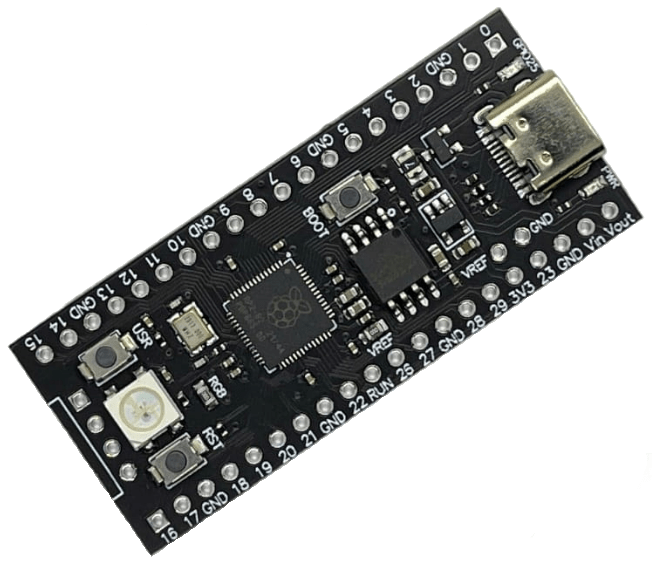
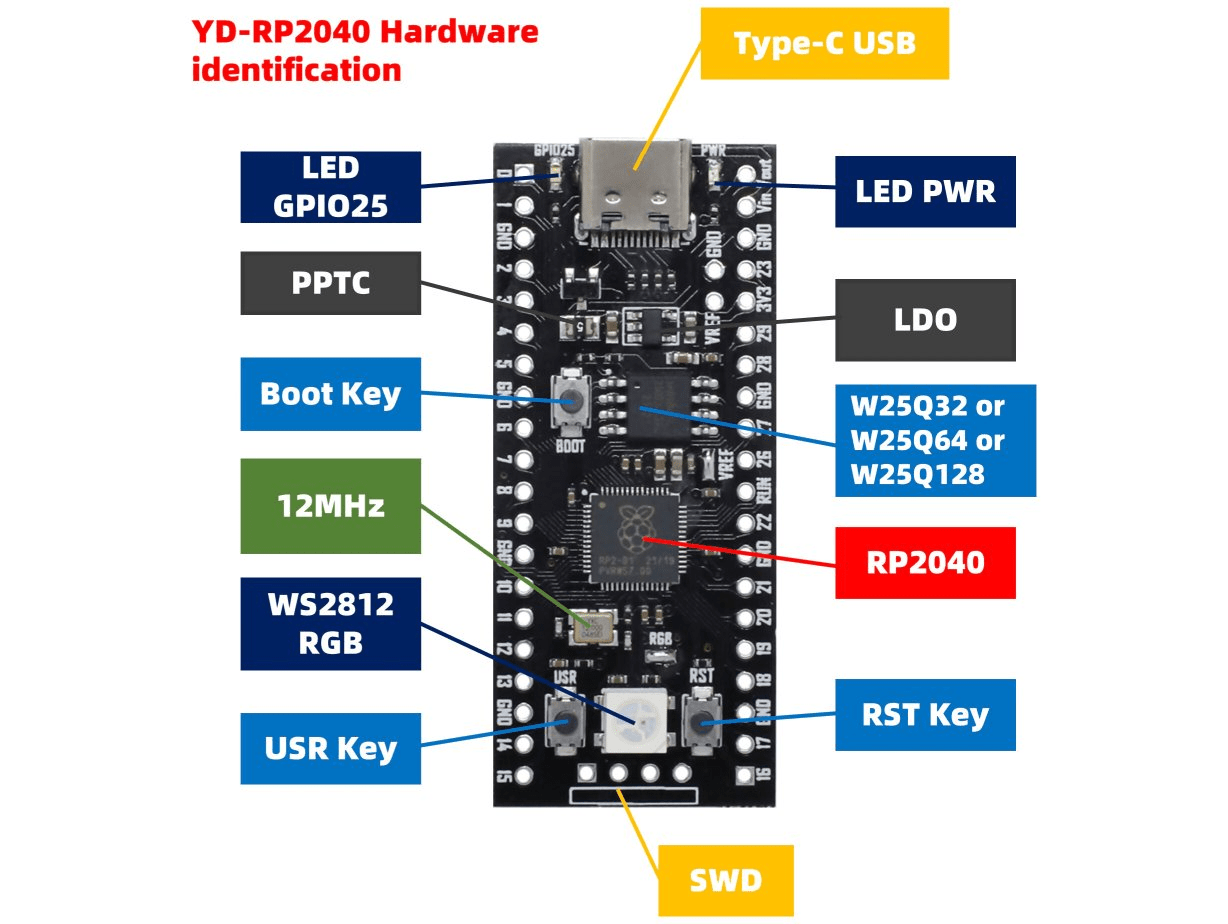
- RP2040 microcontroller
- 16MB memory (W25Q32)
- USB-C
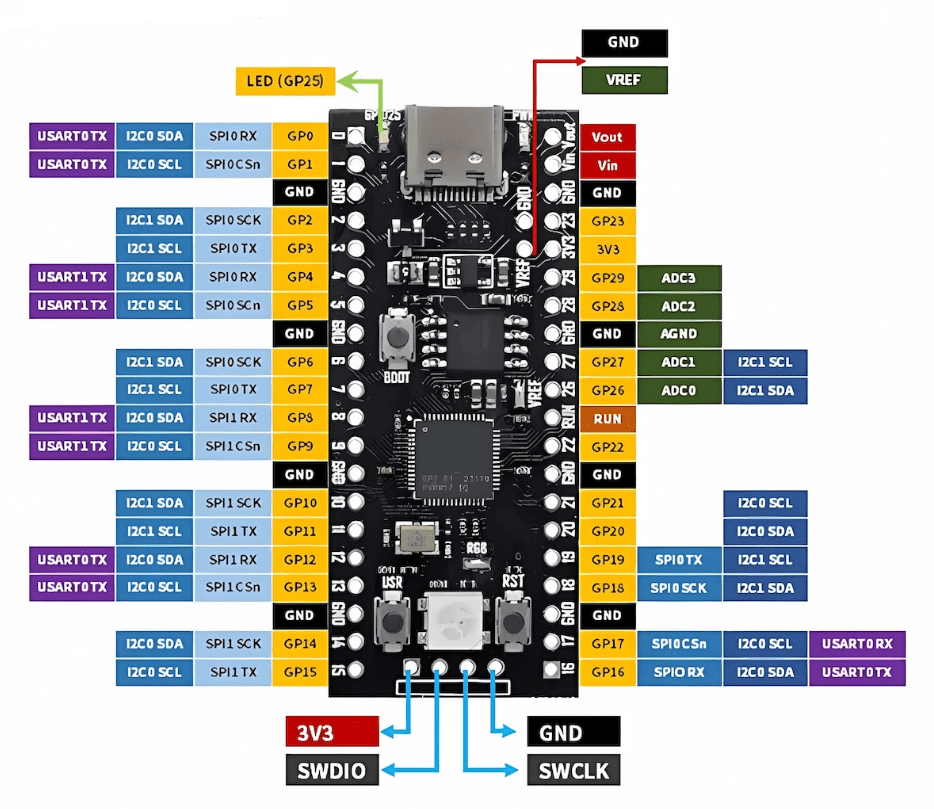
- WS2812 RGB LED (GPIO23)
- Boot, reset and user button
- Power LED, User LED (GPIO25)
- Pin VIN is different from the RaspberryPi Pico (VCC on Pico)
- Not compatible with Piantor PCB/Kit
Flash firmware:
- Connect the board with a USB cable
- Press and hold the BOOT button
- Press and release RST button
- Release BOOT button
- A USB mass storage device with the name RPI-RP2 should apprear
- Drag and drop you firmware file (UF2)